

Corporate training video production is how most organizations now deliver employee education at scale, yet much of what is produced never reaches the people it was made for.
That rarely comes down to budget or camera quality. It comes down to whether the training video was built around a clear picture of what someone should be able to do differently afterward.
A Quick Answer
Corporate training video production is the process of planning, filming, and editing video that teaches employees a skill, a policy, or a process. It combines instructional design with professional production so a company can deliver consistent training at scale, track completion, and update the content as the business changes.
What Corporate Training Video Production Involves. Everything You Need To Know
Corporate training video production sits at the intersection of learning design and video production, and understanding that overlap is what separates a useful training video from an expensive one that nobody finishes. A marketing video exists to persuade.
A training video exists to transfer knowledge and change behavior on the job, so it must be built around a defined training goal before anyone picks up a camera.
 In practice, the work breaks into two tracks that run in parallel. The instructional design track defines what employees need to be able to do after watching, the order in which the ideas should arrive, and how the material will be reinforced.
The production track handles scripting, filming, screen recording, graphics, editing, and delivery. A training video production company that only does the second track will hand you something that looks polished but teaches poorly.
One that does both will produce training videos your team actually uses.
The output is rarely a single video. Most organizations end up with a training series: a set of related modules that share a visual system, a narrator, and a structure, so that a new hire moving through onboarding and an experienced employee refreshing on compliance requirements both recognize the same format.
Not sure which type fits your training goal?
Most projects turn out to need two or three of these formats rather than one. A short scoping call will tell you which combination makes sense for what you are trying to teach.
Book a Free Consultation or call 954-419-5673!
Why Companies Produce Training Videos Instead of Running Live Sessions
Live instruction has real advantages. It adapts to the room, it allows questions, and it builds relationships. Some organizations maintain that immediacy by running sessions as live-streaming video productions and archiving the recordings.
The reason companies still move a large share of employee education to purpose-built video comes down to a handful of practical problems that live sessions do not solve well.
Consistency matters more than most organizations realize
When twelve managers each deliver an onboarding session in their own words, twelve slightly different versions of company policies go out the door.
Consistent training means every employee, in every location, receives the same explanation of the same safety protocols.
For anything with a compliance dimension, that consistency is not a nice-to-have. This is evidence that the training occurred as described.
 Video scales without scaling cost
 Video scales without scaling cost
A live session costs the same every time it runs. A video costs once to produce and then serves every future employee. For organizations that hire continuously or operate across multiple sites, video becomes not just convenient but cost-effective.
Learners control the pace
Someone can pause, rewind, and rewatch the part they did not follow. Nobody does that in a conference room. For technical material especially, replay is where knowledge retention actually happens.
Video creates a record
Completion is trackable, timestamped, and auditable, which matters in regulated industries and in any performance review conversation that addresses whether an employee was properly trained.
The videos become durable digital assets
A well-built library keeps delivering value long after the project closes, and it can be recut, subtitled, translated, or repurposed into customer-facing and demo videos.
Types of Training Videos and When to Use Each
Not all training content should be produced the same way. Matching the video type to the learning problem is one of the highest-leverage decisions in the whole project.
Compliance training videos
Compliance training covers the material an organization is required to deliver, such as harassment prevention, data handling, industry-specific regulation, and ethics.
Regulated sectors carry the heaviest load here, which is why medical and financial organizations tend to build the largest libraries. The production challenge here is engagement, because the audience often arrives assuming the next twenty minutes will be wasted.
Scenario-based compliance training videos, where a realistic situation plays out, and the learner has to judge it, consistently outperform a narrator reading policy language over slides.
Build in a documented completion record from the start, since that record is usually the reason the training exists in the first place.
Safety training videos
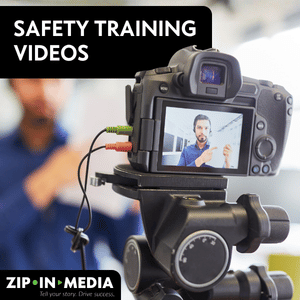 Safety protocols benefit enormously from video because the correct action is physical and visual. Showing the right lockout sequence, the right lifting posture, or the right response to a spill communicates in fifteen seconds what a paragraph struggles to convey.
Film in the actual work environment wherever it is safe to do so. Generic stock footage of a generic warehouse undercuts credibility with people who work in your warehouse.
Sales training videos
Sales training videos work best when they are built around real objections and real conversations rather than abstract methodology.
Filming two people working through a difficult call, then breaking down what happened, gives a sales team something they can immediately model. Keep individual modules short so a rep can review a specific scenario before a specific meeting.
Retail training videos
Retail training videos carry a heavy burden of consistency because service standards have to hold across every location and every shift, often amid significant turnover.
Short, task-focused modules covering the point-of-sale system, returns, merchandising, and difficult customer interactions can be assigned as needed rather than delivered in a single long session.
Because retail training connects directly to customer experience, this is a category where the quality of the training shows up in the business quickly.
Software training and product training
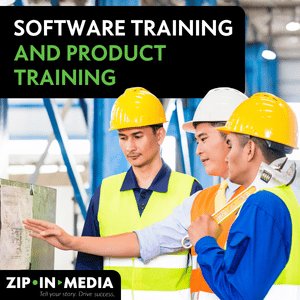 Software training is where screen recording earns its place. Capturing the actual interface, then layering callouts, zooms, and on-screen text over it, is clearer than any live demonstration and far clearer than written documentation.
The same approach serves product training for internal teams and doubles as customer-facing demo videos, closely related to explainer video production, which is often where a training project starts to pay for itself.
Companies producing this kind of content frequently find it reduces support tickets, because customers and employees can watch the answer instead of asking for it.
Onboarding for new hires
Onboarding is usually the highest-volume training an organization runs and the most repetitive to deliver live. A structured onboarding series covering company history, org structure, systems, and expectations frees managers to spend their time on the parts of onboarding that genuinely require a human being.
Culture and leadership modules, in particular, overlap with corporate video production, since both aim to communicate what an organization is actually like.
Soft skills and leadership development
Soft skills such as conflict resolution, giving feedback, and inclusive communication are harder to teach on video because the learning depends on nuance and practice.
The approach that works is dramatized. Film realistic exchanges, let them go wrong, and unpack why. Leadership development content pairs particularly well with discussion, so design these modules as prompts for conversation rather than as the whole intervention.
Talk to our expert team now at 954-419-5673!
The Production Process, Step by Step
Most training video projects that go badly go badly in pre-production. Here is the sequence a professional process follows, along with what actually happens at each stage.
1. Discovery and production planning
Before any script is written, the project needs three answers. What the learner should be able to do afterward, who the target audience is, and how success will be judged.
Production planning also settles the practical constraints early, including how many modules, what the length will be, which locations, whether employees will appear on camera, and what the review path will look like. Skipping this stage is the single most common reason a training video is reshot.
2. Instructional design and scripting
Content gets structured into a logical learning sequence, then written. This is where a subject matter expert inside the organization is essential, because they ensure accuracy, and a writer is equally essential, because subject matter experts naturally explain things at their own level rather than the learner’s.
The script should be read out loud before it is approved. Language that reads well on a page often sounds stiff when spoken.
3. Pre-production
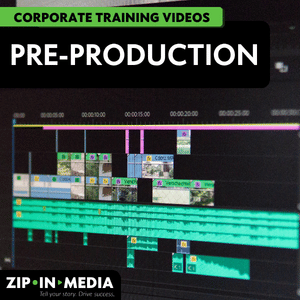 Storyboards, shot lists, location scouting, casting, scheduling, and preparation of any graphics or interface captures. If employees appear on camera, they are briefed then. A prepared participant performs dramatically better than one handed a script that morning.
4. Production
Filming with a professional crew. Two technical elements do most of the work in making a training video feel credible: clear audio and good lighting.
They will not sit through audio they have to strain to follow. Wherever the subject allows, filming in real work environments with real equipment beats a studio setup, because recognition drives attention.
5. Post production
Post production covers editing, motion graphics, on-screen text, music, color, and captions. Captions are not optional. They meet accessibility requirements and serve the substantial share of employees who watch with the sound off. This stage is also where pacing is set, and it usually determines whether people finish.
6. Stakeholder review
Build a defined stakeholder review process with named approvers and a fixed number of revision rounds. An open-ended review by the committee is how training projects lose their schedule.
Review the script thoroughly: changing a sentence in the script costs nothing, but changing one after filming costs a reshoot.
7. Delivery and rollout
Final files are delivered in the formats required by the destination platform, along with captions, transcripts, and any supporting materials. Rollout is a real step, not an afterthought. Training that is published without being announced, assigned, and explained tends to sit unwatched.
How To Choose the Right Format for Corporate Training Videos
Format should follow content, not preference. The right format for a safety demonstration is not the right format for a policy explanation.
| Format | Best suited to | Trade off |
|---|---|---|
| Live action | Physical procedures, interpersonal scenarios, anything where seeing a real person matters | Higher production cost and harder to update once filmed |
| Screen recording | Software training, system walkthroughs, product training on digital tools | Needs re-recording whenever the interface changes |
| Animation and motion graphics | Abstract concepts, processes, data, anything with no visual referent | Can feel impersonal for human-centered subjects |
| Talking head with graphics | Leadership messages, culture, policy context | Attention drops fast without visual variety |
| Microlearning shorts | Single task refreshers, just-in-time reference, and clips repurposed for internal social and comms channels | Not suited to material that needs building up in sequence |
Many effective training videos mix formats within a single module, opening with live action to establish the situation and switching to screen recording or animation to explain the mechanics.
How To Make Interactive Videos?
Interactive videos add decision points, embedded questions, and branching paths inside the video itself. Rather than passively watching for eight minutes, the learner is asked to make a judgment, and the video responds to that answer.
These interactive learning experiences suit some content far better than others. Branching works well for compliance scenarios, sales conversations, and customer interactions, where the whole point is that different choices lead to different outcomes.
It adds little to a straightforward procedural walkthrough, where there is only one correct sequence and inserting a quiz just interrupts it.
Practical note
Interactivity multiplies production scope. A branching module with three decision points and two options per decision point may require filming and editing several times as much footage as a linear video of the same length. Reserve it for the content where the decision itself is the lesson.
Let’s create a creative e-learning and training videos for your company. Reserve a date with us at 954-419-5673!
Delivering Through a Learning Management System
Where a training video lives determines whether anyone watches it. A learning management system lets an organization assign training to specific roles, set deadlines, track progress, store completion records, and quiz learners afterward.
 Talk to your production partner about the destination platform during production planning rather than at delivery. Platforms differ in the file formats, resolutions, caption formats, and packaging standards they accept, and some require video to be wrapped in a specific e-learning package to report completion data.
Sorting that out at the end of a project, rather than the start, is a familiar and avoidable source of delay.
Not everything belongs in an LMS. Reference material employees need mid-task, such as a quick refresher on a machine setting, is often better placed where the work happens, on an intranet page or a job aid accessible from the floor.
What Drives the Cost of Training Video Production
Video production services are usually quoted per project or per finished minute, and the range across the industry is wide, because the same three minutes of finished video can require a single day with one presenter or a week with a crew across four locations.
Rather than quoting a number that would not apply to your project, here are the variables that actually move a budget.
- Shoot days and locations. The largest single cost driver. Every additional location adds travel, setup, and scheduling.
- On-camera talent. Professional actors cost more than employees but need fewer takes and deliver more consistently.
- Crew size. A two-person crew and a full production team produce visibly different results at correspondingly different costs.
- Animation and graphics. Custom animation is priced by the second and is typically the most labor-intensive element in post-production.
- Interactivity. Branching content requires more footage and more build time than linear video.
- Volume. A training series produced together costs meaningfully less per module than the same modules commissioned one at a time, because planning, setup, and design are shared across the project.
- Revision rounds. Contracts usually include a set number. Additional rounds are billable, which is another argument for rigorous script review.
How to Measure Whether Training Videos Work
Completion rates are the easiest metric to collect and the least informative on their own. Someone finishing a video tells you the video was short enough, not that it taught anything.
Useful measurement layers a few signals together.
- Completion rates and drop-off points. Where viewers stop is more useful than whether they finished. A consistent drop at the same timestamp across many learners points to a specific problem in that section.
- Knowledge checks. A short assessment after the module, ideally repeated weeks later, is what actually indicates knowledge retention rather than short-term recall.
- On-the-job behavior. The metric that matters. Depending on the training program, that might be error rates, incident reports, audit findings, or time to competency for new hires.
- Support and question volume. A drop in repeat questions or support tickets after a software training rollout is a direct signal the video is doing its job.
- Manager feedback. Ask supervisors whether they are seeing a difference. It is qualitative, and it surfaces gaps that no dashboard reports.
 Completion rates and drop-off points. Where viewers stop is more useful than whether they finished. A consistent drop at the same timestamp across many learners points to a specific problem in that section.
Agree on which of these you will track before production begins, because some require a baseline measurement beforehand.
How to Choose a Training Video Production Company
Plenty of video production companies will take a training project. Fewer are set up to do it well. When evaluating training video production services, the questions worth asking are less about equipment and more about method.
- Ask to see training work specifically. A reel full of commercials and brand films demonstrates craft but not instructional expertise. Ask for training videos they have produced and, where possible, what happened after. Reviewing a video portfolio with training work in it tells you more in ten minutes than any capabilities deck.
- Ask how they handle learning design. Whether they have instructional design in-house or partner for it, they should have a clear answer. A company that treats a training video as purely a production exercise will produce a good-looking video that does not teach.
- Ask about their process for working with your subject matter expert. Extracting accurate content from busy internal experts is a skill, and how a company describes doing it tells you a lot.
- Ask what happens when things change. Policies change, and interfaces change. A production partner who builds with future updates in mind, keeping project files organized and modular, saves considerable money over the life of the content.
- Ask about delivery to your platform. They should already be asking you about your learning management system.
- Confirm the review process. Named approvers, defined rounds, and a written schedule protect both sides.
Working with a team that understands both learning and production really does make all the difference to the overall performance of the finished content, and it is usually visible within the first conversation.
Don’t miss out on staying ahead in the ever-evolving landscape of employee development. Ready to revolutionize your training approach? Call us at 954-953-3976 to learn more.
Keeping a Training Series Current
Training content ages. Products change, regulations change, and a video that shows an interface nobody uses anymore quietly undermines confidence in the entire library.
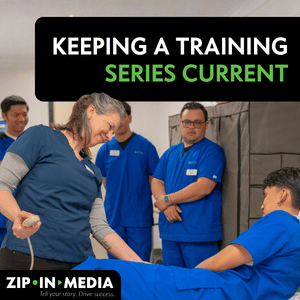 The organizations that handle this well treat their video library as a maintained asset rather than a finished project.
That means a scheduled content review, whether quarterly updates for fast-moving product training or an annual pass for stable material, with a named owner responsible for flagging what has gone out of date.
Build for updating from the start. A modular structure, where each topic is its own short video rather than a single long file, means that a single change requires reworking one module rather than the whole program.
Avoiding on-screen references to specific dates, named individuals, or current figures extends shelf life considerably. Keeping project files, graphics templates, and raw footage archived and organized with your production partner turns a future revision into an edit rather than a reshoot.
Key Takeaways
- Define the training goal and the target audience before anything else. Every later decision follows from those two answers.
- Match the format to the content. Screen recording for software, live action for physical and interpersonal, animation for abstract concepts.
- Instructional design is not optional. A well-produced video built on weak learning design is still a weak training video.
- Clear audio and good lighting do more for credibility than an expensive camera.
- Modular, short videos are easier to assign, finish, and update.
- Settle your LMS and delivery requirements during planning, not at handoff.
- Measure behavior on the job, not just completion rates.
- Plan for maintenance. Content built to be updated stays useful for years.
Planning a training video project?
Talk through your training goals, your timeline, and what a production plan would look like for your organization. Let us handle your corporate training video production as trusted professionals in this industry.
Request a Free Quote! Call us at 954-419-5673!
Frequently Asked Questions
How long does production take?
Timelines vary with scope and module count, and scripting plus stakeholder review usually take longer than the filming itself.
Can you include drone footage at a corporate event?
Sometimes, and it depends more on the location than the camera. Drone footage needs airspace clearance and venue permission, and much of South Florida sits under controlled airspace near airports. It is worth asking about early rather than assuming.
Can existing training material be turned into video?
Yes, and it is a common starting point, since existing decks, manuals, and documented procedures give a production team accurate source content.
Do we need a learning management system?
Not for every use, but a learning management system is what makes assignments, deadlines, completion tracking, and record-keeping possible. If training carries compliance requirements, that record matters as much as the video itself.
Do you film corporate events outside Miami?
Yes. We cover Miami, Fort Lauderdale, West Palm Beach, Boca Raton, and the surrounding areas across Miami-Dade, Broward, and Palm Beach counties.
How often should training videos be updated?
It depends on how quickly the subject changes; product and software training often requires quarterly updates as interfaces evolve. Compliance content should be reviewed whenever regulations change, while stable material, such as company history or core soft skills, can remain in place for years with an annual check.
